👋
Welcome to the Conneq GC app!
Conneq for Businesses lets you source, schedule, manage, and pay your
gig-based crews all from a single platform
Get started by inviting your preferred freelancers and full-time employees to register with Conneq.
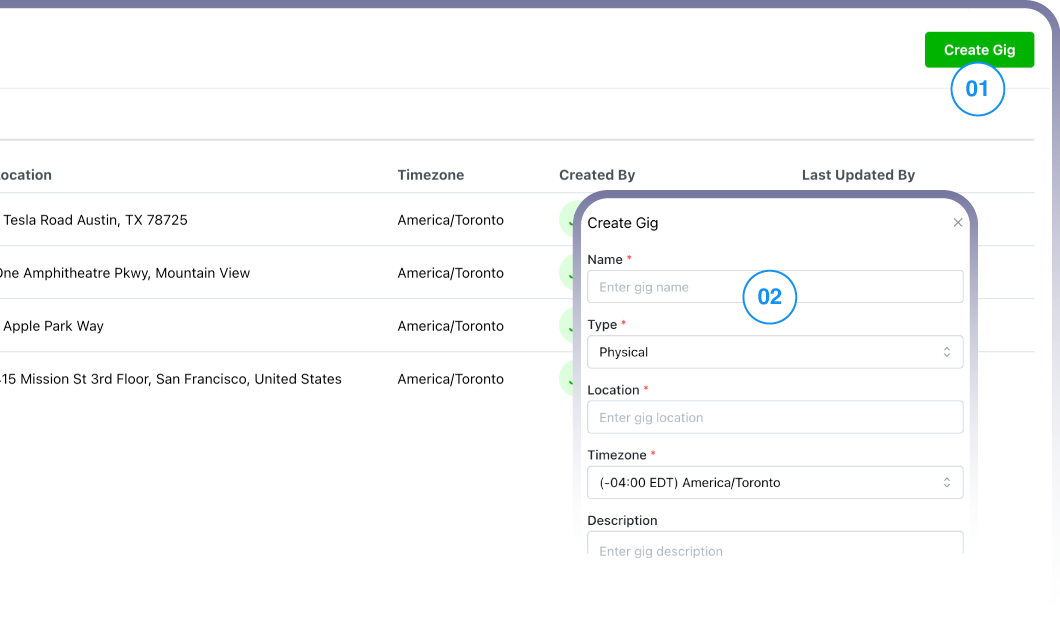
Create your first gig
Navigate to the top right corner to locate the Create Gig button and fill your gig details.
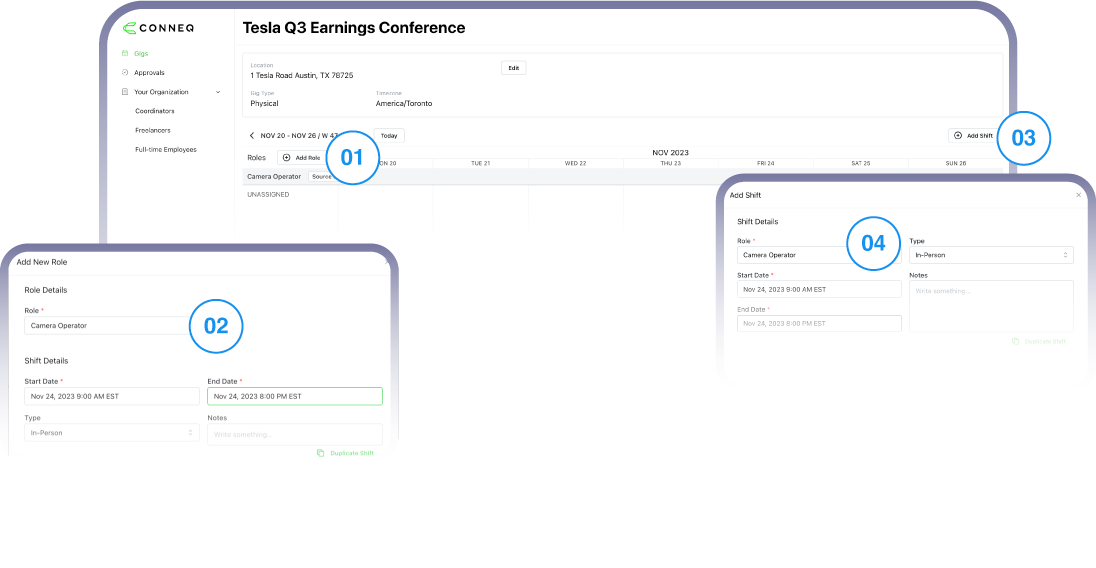
Add roles and shifts
Press the Add Role button and fill in the role details. Next Add a Shift and fill in your shift details.
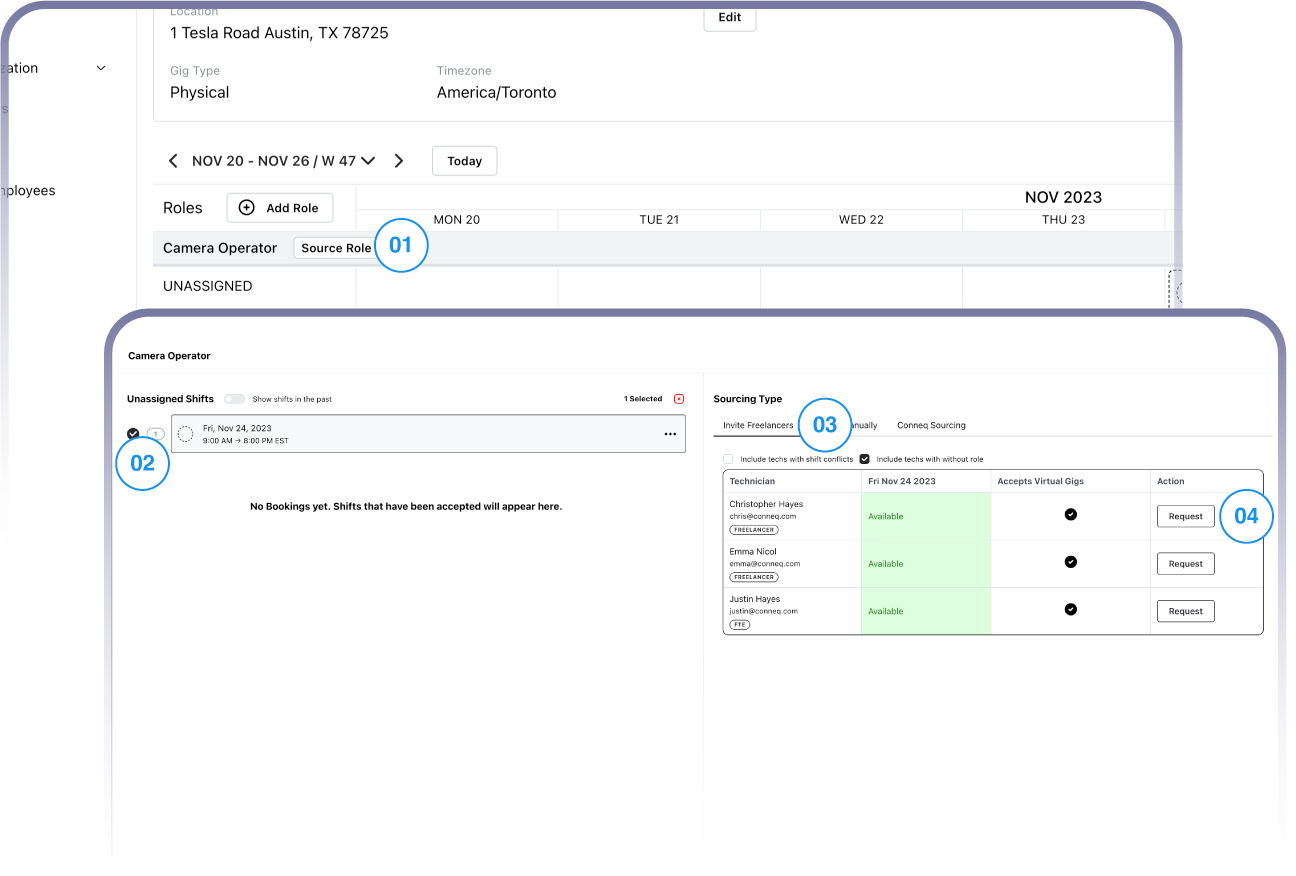
Source for those roles
Select your shift and send RSVP's to your crew members to source for your roles.
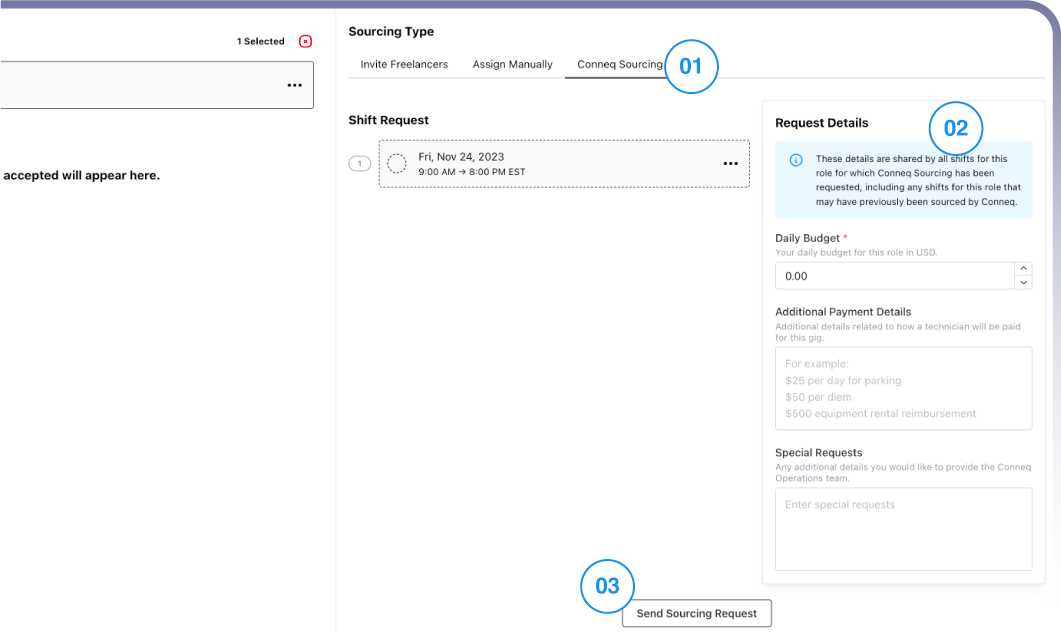
Use the Conneq Sourcing Feature
Fill unassigned roles with our extensive community of freelancers.
Schedule a full, live tutorial with one of our team members today!